APA Table Format Generator (APA 7)
Paste a table from a spreadsheet and copy an APA 7 formatted table into Word or Google Docs, notes included.
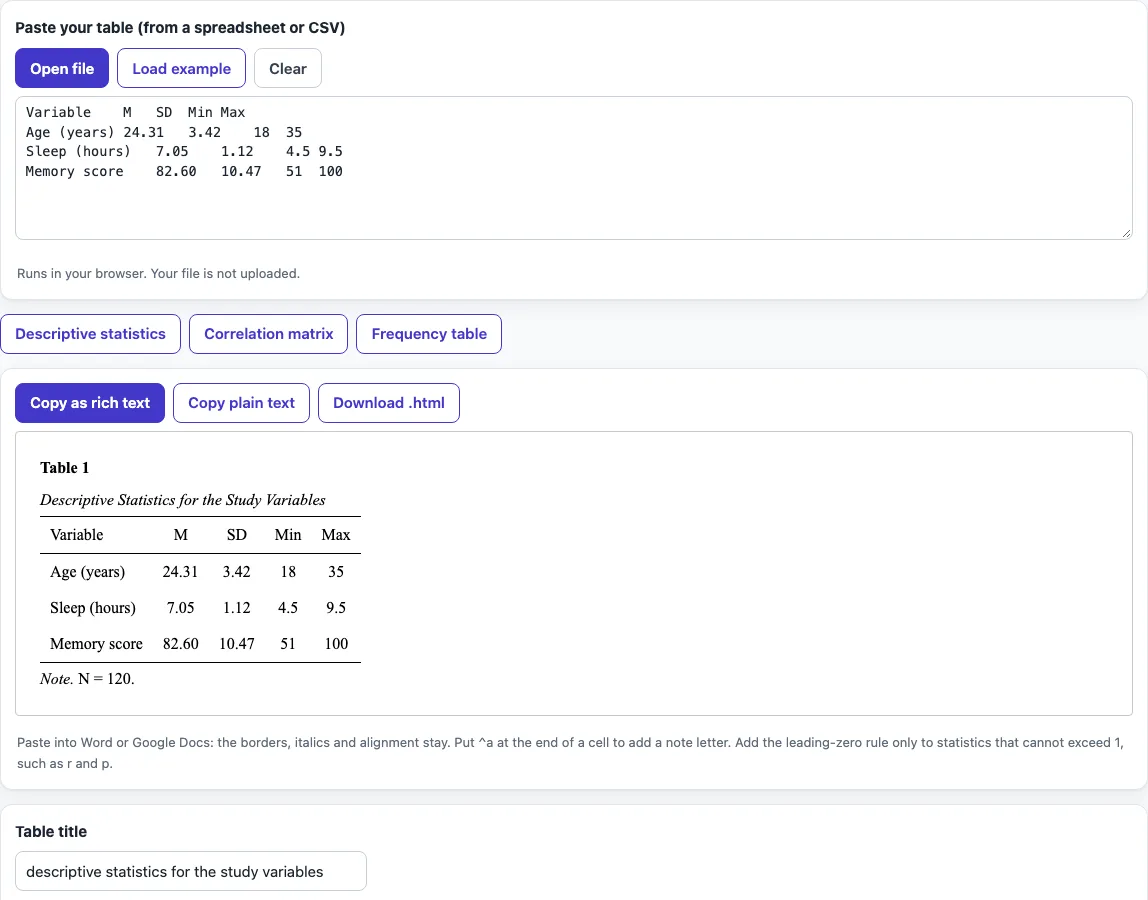
How to use the APA table formatter
- Paste your table from a spreadsheet or CSV into the table input.
- Enter the table number and the table title. Tick Convert the title to Title Case if you want the title set in Title Case.
- Set Heading rows to the number of rows at the top that are column headings.
- Choose Number alignment: centred, aligned on the decimal point, or left.
- Choose Table body spacing: double, 1.5 or single.
- Tick Drop the leading zero (0.45 becomes .45) only for values that cannot exceed 1, such as correlations and p values.
- Type a general note in the General note box. Type specific notes in the Specific notes box, one per line, lettered a, b, c. Put ^a at the end of a cell to attach note a to that cell.
- Tick the probability note checkboxes you need.
- Check the APA preview.
- Click Copy as rich text to keep borders, italics and alignment when you paste into Word or Google Docs. You can also use Copy plain text, Download .html, or the LaTeX version with booktabs.
The Table templates (Descriptive statistics, Correlation matrix and Frequency table) give you a starting layout. They only set the layout and do not calculate anything. Your option choices stay in the page address, so a bookmarked or shared link reopens the tool with the same settings. Your text is never put in the address.
How do I format a table in APA 7?
An APA 7 table has a bold table number on the first line, such as Table 1. The title goes in italic Title Case on the line below, double-spaced, and the table follows. The table uses horizontal rules only, with no vertical lines.
The horizontal rules sit above and below the column headings and at the bottom of the table. Use double spacing for the table body, which is the APA default. The tool also offers 1.5 and single spacing for instructors who ask for them. APA allows other legible fonts, such as Calibri 11 or Arial 11. The preview in this tool uses Times New Roman 12 pt.
Align numbers so the decimal points line up. Centred and left alignment are also options. Keep the same number of decimal places down each column so readers can compare values.
What are the parts of an APA table?
A standard APA table has four parts: the table number, the title, the body (column headings, row labels and values) and the notes. The notes sit below the table. The first note is the general note, which starts with Note. in italics and explains abbreviations, sources or copyright.
Specific notes come next. They are marked with superscript lowercase letters (a, b, c) and refer to a particular row, column or cell. Probability notes come last, in this order: *p < .05. **p < .01. ***p < .001.
In your text, refer to each table by its number, such as Table 1. Place the table after its first mention, or after the reference list, as your instructor or journal asks.
Is there an APA table template?
Yes: the Table templates buttons give you an APA format table template for descriptive statistics, a correlation matrix or a frequency table, with the column headings already in place. Replace the sample values with yours, adjust the title and notes, and copy. A correlation matrix template lists the variables down the side and numbers across the top, with dashes on the diagonal, which is how APA examples show it.
Frequently asked questions
How do I write notes under an APA table?
Start with the general note, beginning with Note. in italics. Add specific notes next, marked with superscript a, b, c, and then the probability notes. In this tool, type specific notes one per line and put ^a at the end of the cell they describe.
Can I copy the table into Word?
Yes. Click Copy as rich text, and the borders, italics and alignment stay when you paste into Word or Google Docs. Copy plain text removes that formatting.
Does an APA table use vertical lines?
No. APA 7 tables use horizontal rules only: above and below the column headings and at the bottom of the table. The tool does not add vertical lines.
When should I drop the leading zero?
Drop it only for values that cannot exceed 1, such as correlations and p values, so .45 instead of 0.45. Keep the zero for values that can be greater than 1.
Where should I place a table in my paper?
Refer to it in the text by number, such as Table 1. Place the table after its first mention or after the reference list, as your instructor or journal asks.
Is my data uploaded when I use the tool?
No. The tool runs in your browser, so what you paste is processed on your own device. No account is needed, and the tool is free.
Related tools
- LaTeX table generator when you need the table as LaTeX code for a document.
- BibTeX to APA when you need to turn BibTeX entries into APA reference list entries.
- Cite a table in APA when you need to cite a table taken from another source.
- APA figure format when your data is better shown as a figure.
- APA table of contents when you need to list your tables and figures in a contents page.
- APA headings when you need to check the heading levels around your table.